Brand Identity
Thank you for choosing Ava!
To customize Ava, you'll need to access the html pages and do a little coding. Don't worry, you'll just be editing content including text, images, and links. As long as you dont' change any other code, then the layout will stay intact.
To help you edit Ava, you can find a list of free code editors here.
Logo
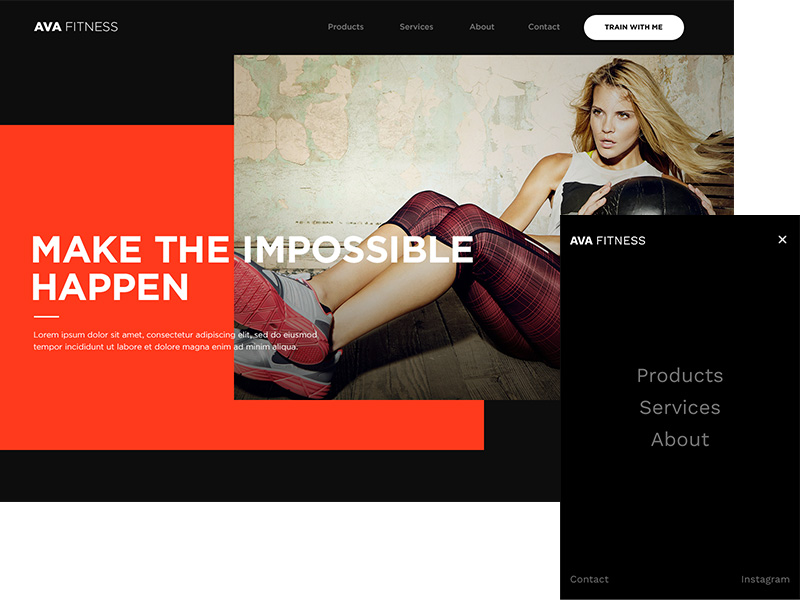
Open up a template page with your favourite code editor and locate all places with the following code below. There are two places where this code can be found. One at the top of the page and the other is at the bottom of the page. Don't forget to change the code in both of these places.
				<!-- Your Logo Here -->

				<a href="/">

				<h2 class="logo">AVA <span class="thin">FITNESS</span></h2>

				<!--<h2 class="logo graphic"><img src="img/logo.jpg" alt=""></h2>-->

				</a>
You have the option of using a typeface or a graphic for your logo. Currently, the template uses a typeface for the logo and the logo graphic is commented out using the following comment tags, <!-- and -->. Content inside these tags will not render on the browser.
Logo Typeface
Simply remove the commented section and edit the code between the <h2> tags or just replace the code with the below.
				<!-- Your Logo Here -->

				<a href="/">

				<h2 class="logo">Insert Your Business Name Here</h2>

				</a>
The span class="thin" changes the 'FITNESS' text into a thinner font weight. Use this class to change the weight of the logo typeface. Otherwise remove the class and have your logo typeface the same font weight.
				<!-- Your Logo Here -->

				<a href="/">

				<h2 class="logo">AVA <span class="thin">FITNESS</span></h2>

				</a>
Logo Graphic
If you opt to have a graphic for your logo, then use the below code.
				// Logo on home page

				<a href="/">

				<h2 class="logo graphic"><img src="img/logo.jpg" alt=""></h2>

				</a>


				// Logo on other pages

				<a href="/">

				<h2 class="logo graphic"><img src="../img/logo.jpg" alt=""></h2>

				</a>
Logo Graphic Specifications

The graphic for the logo requires a height of 60 px and a max width of 225 px.
The logo can be in a variety of file formats including JPG, GIF, or PNG. Using a transparent GIF or PNG would blend the logo graphic with the background color. Otherwise, you would need to include the background color in your graphic so that it blends into the ground.
The graphic should be named 'logo'. If you choose a different name for your graphic, then don't forget to change the code to match your logo's file name.